P1 XL
Je favoriete coureur, live in één blik: positie in de kleur van zijn band, en de gaten naar de auto’s voor en achter.
Your favourite driver, live at a glance: position in the colour of their tyre, plus the gaps to the cars ahead and behind.
Gemaakt voor slechtzienden
De basis van P1 XL is een app voor mensen die slecht zien. Daar staat de XL in de naam voor. Een gewone timing-app of de tv-graphics zijn vaak te klein en te druk. P1 XL laat alleen zien wat er voor jouw coureur toe doet, zo groot mogelijk.
- Extra grote positie, met hoog contrast op een zwarte achtergrond.
- Niet alleen kleur: de band staat er ook als letter en naam bij, bijvoorbeeld “M · Medium”.
- Voelen wat er gebeurt: je iPhone trilt bij een positiewissel, een vlag, de snelste ronde of een onderzoek door de stewards.
- Licht in de kamer: een Philips Hue-lamp kleurt mee met vlaggen, de safety car, de snelste ronde en het podium.
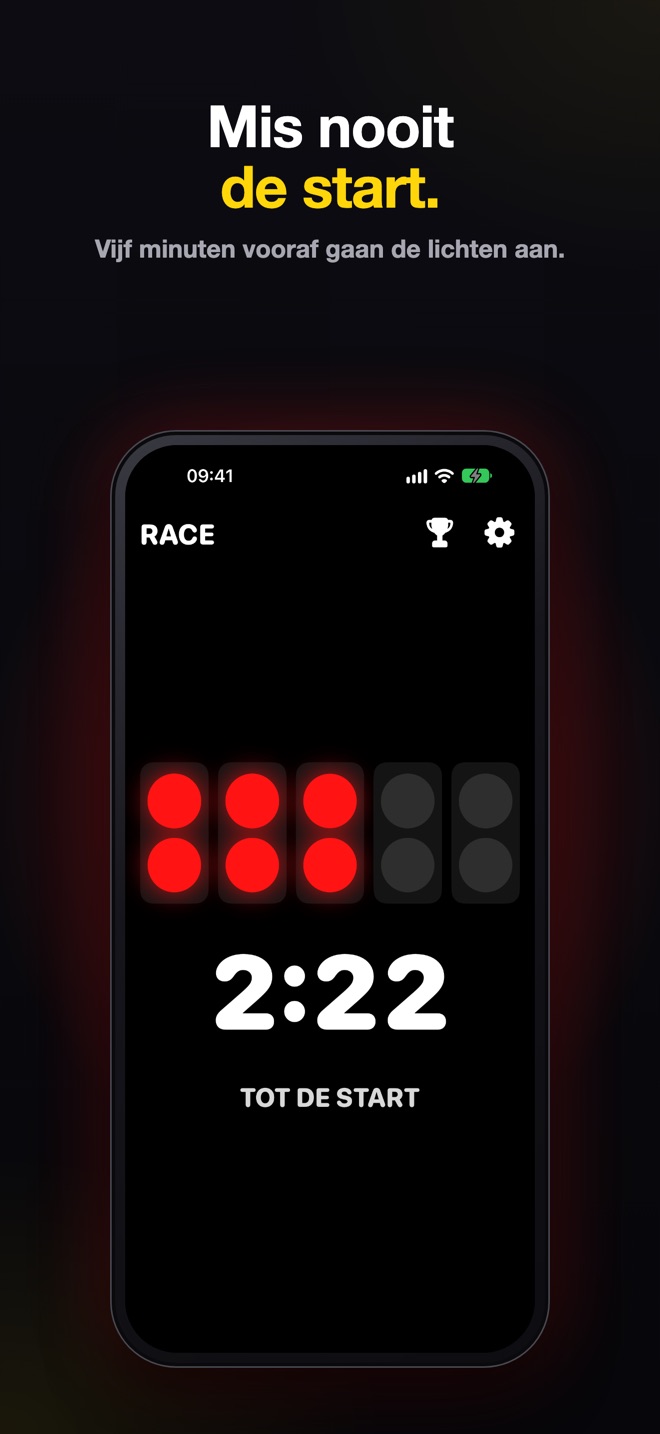
- VoiceOver: posities, gaten en banden worden voorgelezen, en de startlichten worden één voor één aangekondigd.
- Het scherm blijft aan zolang de app open is.
Made for people with low vision
P1 XL started as an app for people with low vision. That’s what the XL in the name stands for. Regular timing apps and TV graphics are often too small and too busy. P1 XL shows only what matters for your driver, as big as possible.
- Extra-large position, in high contrast on a black background.
- Not just colour: the tyre is also shown as a letter and a name, for example “M · Medium”.
- Feel what happens: your iPhone vibrates on a position change, a flag, the fastest lap or a stewards' investigation.
- Light in the room: a Philips Hue light changes colour with flags, the safety car, the fastest lap and the podium.
- VoiceOver: positions, gaps and tyres are read aloud, and the start lights are announced one by one.
- The screen stays on while the app is open.
Screenshots
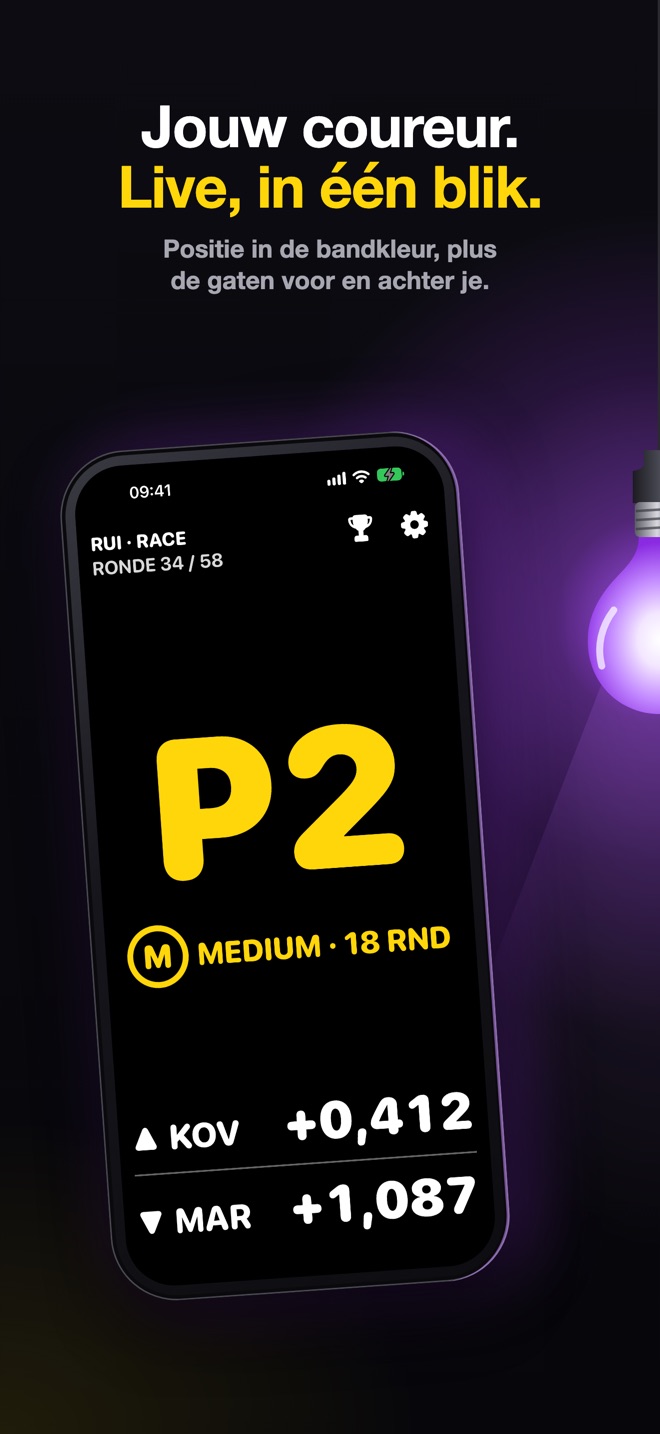
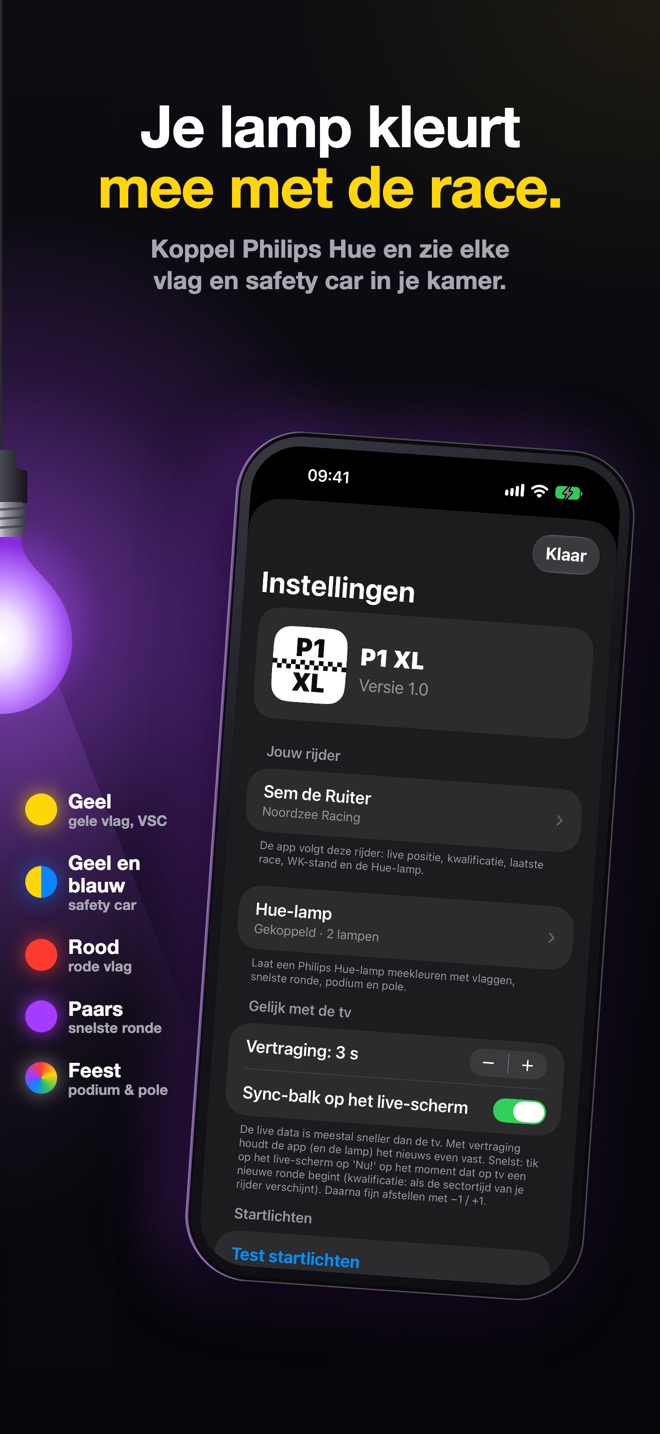
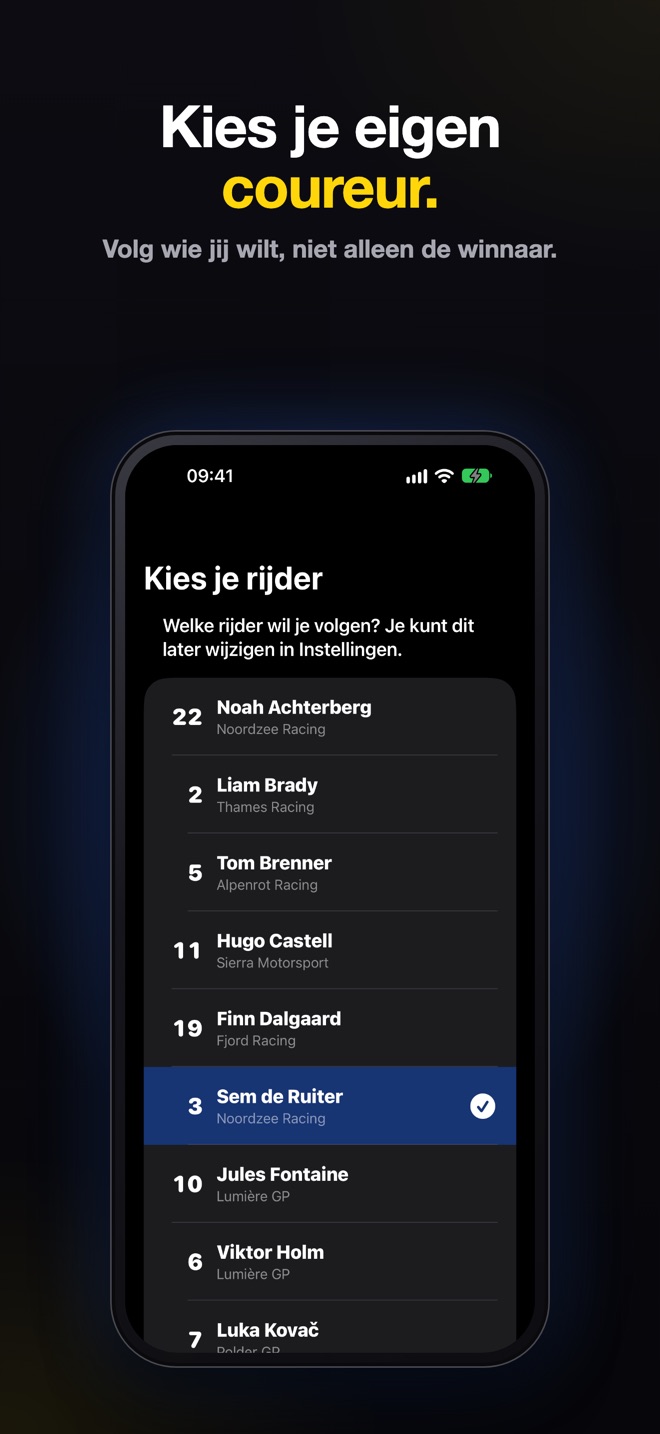
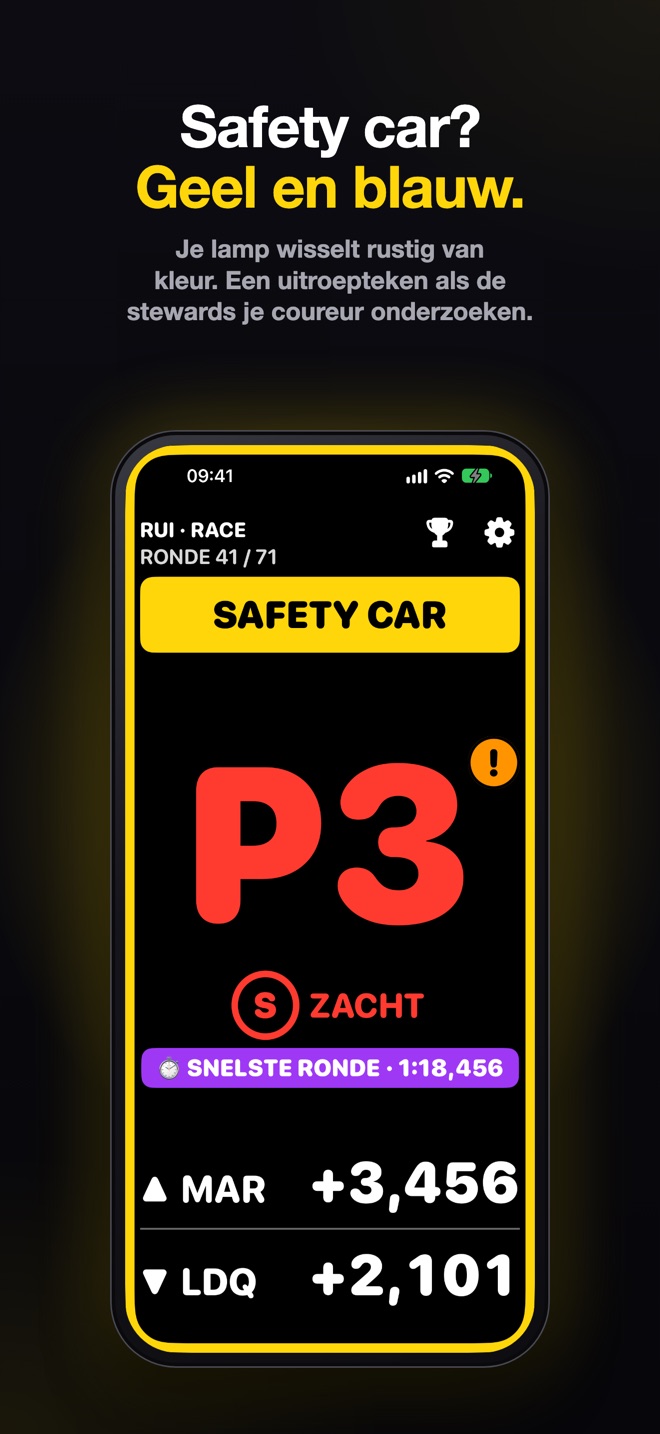
Het filmpje duurt 30 seconden, met geluid. Alle beelden komen uit de app, met verzonnen namen. Tik op een screenshot voor de grote versie.
The video is 30 seconds, with sound. All footage comes from the app, with made-up names. Tap a screenshot to see it full size. The app itself is currently in Dutch; button names are shown below in Dutch with the English meaning.
Wat doet de app?
What does the app do?
Support
Vraag, probleem of idee? Mail naar jopmesmanapps@gmail.com. Vermeld je iPhone-model en iOS-versie. Je krijgt meestal binnen een paar dagen antwoord.
Question, problem or idea? Email jopmesmanapps@gmail.com. Please include your iPhone model and iOS version. You’ll usually hear back within a few days.
Veelgestelde vragen
Frequently asked questions
De app loopt voor op de tv. Hoe zet ik ze gelijk?
Live data is meestal sneller dan de uitzending. Tik onderin het live-scherm op Nu! op het moment dat op tv een nieuwe ronde begint (in de kwalificatie: zodra de sectortijd van je coureur verschijnt). Stel daarna fijn af met −1 / +1. De lamp en het trillen lopen mee met de vertraging. In Instellingen kun je de balk verbergen.
Ik zie geen live data.
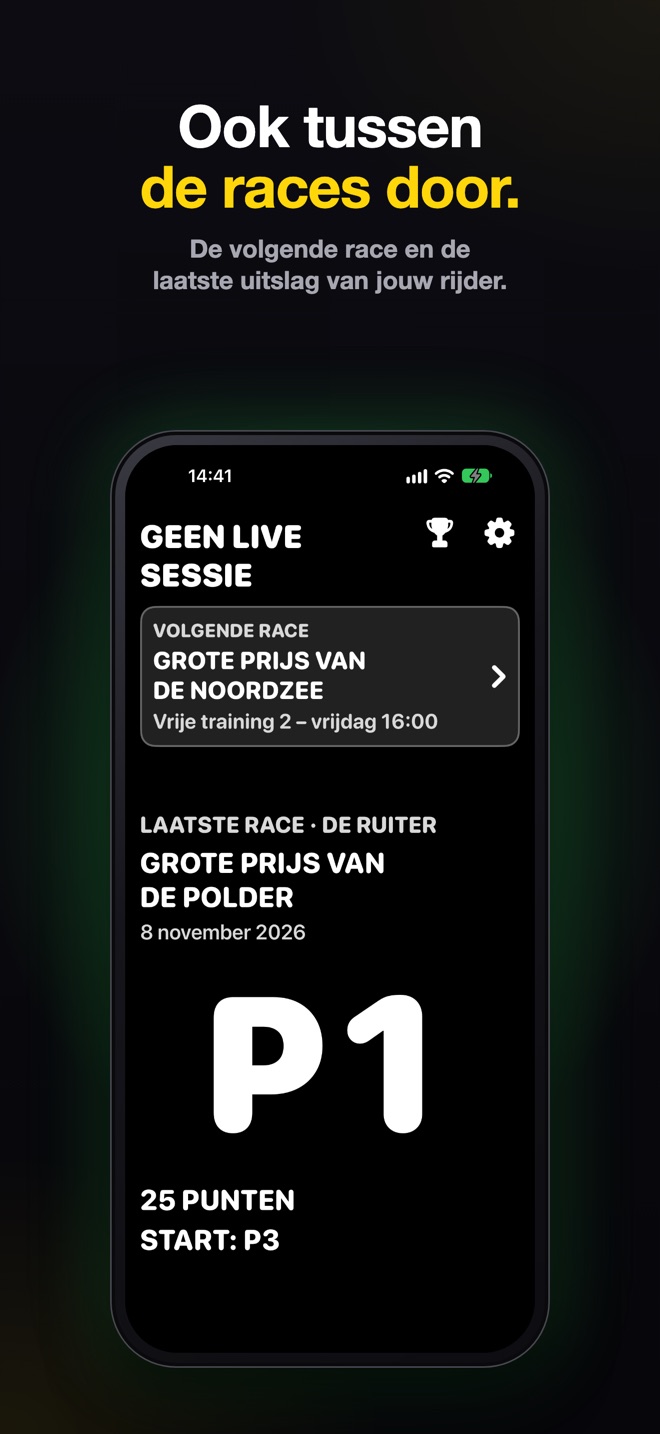
Live data is er alleen tijdens een training, kwalificatie, sprint of race. Daarbuiten toont de app de uitslag van de laatste race. Wil je zien hoe het live werkt? Zet dan via het tandwiel de Demo-modus aan.
Mijn Philips Hue Bridge wordt niet gevonden.
Je iPhone moet op hetzelfde wifi-netwerk zitten als de Bridge. Controleer bij Instellingen → Privacy en beveiliging → Lokaal netwerk dat de app aan staat. Ga daarna naar tandwiel → Hue-lamp → Zoek Bridge en druk op de knop van de Bridge.
Mijn lamp blijft in een racekleur staan.
Bij groen licht, aan het eind van de sessie en bij het sluiten van de app zet de app je lamp terug naar zoals hij was. Is de app geforceerd gesloten of viel de verbinding weg? Zet de lamp dan even zelf terug via de Hue-app.
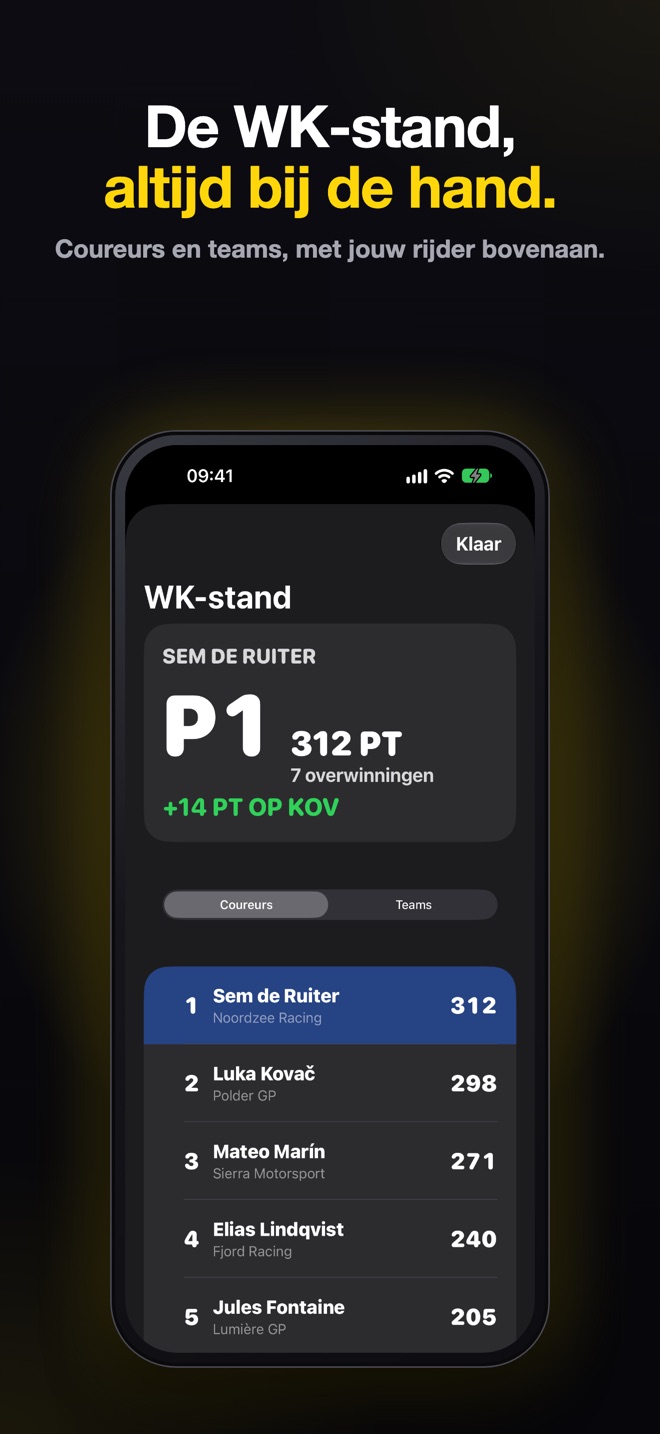
De WK-stand is nog niet bijgewerkt.
De stand komt uit de openbare Jolpica-database. Die wordt een paar uur na de race bijgewerkt.
Waar zie ik wanneer de volgende race begint?
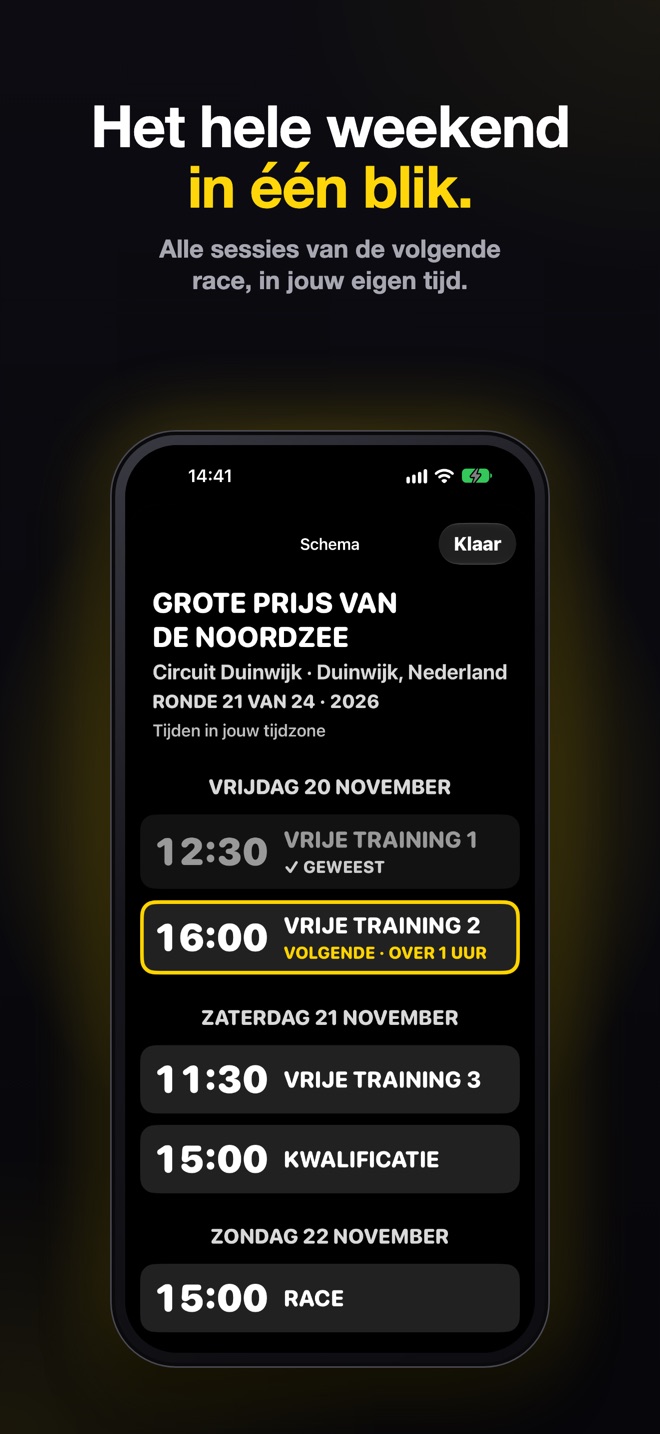
Op het scherm Geen live sessie staat de knop Volgende race. Tik erop voor alle sessies van het volgende raceweekend, met dag en tijd in jouw tijdzone. De eerstvolgende sessie heeft een gele rand; sessies die al geweest zijn staan gedimd met GEWEEST.
Kan ik een andere coureur volgen?
Ja. Je kiest je coureur bij de eerste start, en je kunt dat altijd veranderen in Instellingen.
Hoe test ik de startlichten?
Tandwiel → Test startlichten. Je ziet dan het hele aftellen in 15 seconden.
The app is ahead of the TV. How do I sync them?
Live data is usually faster than the broadcast. Tap Nu! (Now) at the bottom of the live screen the moment a new lap starts on TV (in qualifying: as soon as your driver’s sector time appears). Then fine-tune with −1 / +1. The light and haptics follow the delay. You can hide the bar in Settings.
I don’t see any live data.
Live data is only available during a practice session, qualifying, sprint or race. Outside those, the app shows the result of the last race. Want to see how live mode works? Turn on Demo-modus (demo mode) via the gear icon.
My Philips Hue Bridge can’t be found.
Your iPhone must be on the same Wi-Fi network as the Bridge. Check that the app is enabled under Settings → Privacy & Security → Local Network. Then go to the gear icon → Hue-lamp → Zoek Bridge (find Bridge) and press the button on the Bridge.
My light is stuck in a race colour.
On a green flag, at the end of the session and when you close the app, the app restores your light to how it was. Was the app force-quit or did the connection drop? Then reset the light yourself in the Hue app.
The standings haven’t been updated yet.
The standings come from the public Jolpica database, which is updated a few hours after the race.
Where can I see when the next race starts?
On the Geen live sessie (no live session) screen, tap Volgende race (next race). You’ll see every session of the next race weekend, with day and time in your time zone. The next session has a yellow border; sessions that are over are dimmed and marked GEWEEST (done).
Can I follow a different driver?
Yes. You pick your driver the first time you open the app, and you can change it any time in Settings.
How do I test the start lights?
Gear icon → Test startlichten (test start lights). You’ll see the whole countdown in 15 seconds.
Privacybeleid
Laatst bijgewerkt: 13 november 2026
Welke gegevens worden opgeslagen?
De app bewaart alleen op je eigen toestel:
- je favoriete coureur;
- je instellingen, zoals de tv-vertraging, trillen en de demo-modus;
- als je Philips Hue gebruikt: het netwerkadres van je Hue Bridge, de gekozen lampen en de toegangssleutel die de Bridge aanmaakt. Die sleutel staat in de beveiligde iOS-sleutelhanger (Keychain) en gaat niet mee naar andere apparaten.
Deze gegevens worden nergens naartoe gestuurd. Verwijder je de app, dan zijn ze weg.
Met welke diensten maakt de app verbinding?
Om de app te laten werken, haalt hij openbare informatie op. Daarbij worden geen persoonlijke gegevens van jou meegestuurd. Deze diensten zien, zoals elke website, wel het IP-adres van je verbinding.
| Dienst | Waarvoor |
|---|---|
livetiming.formula1.com | Live timing tijdens een sessie |
api.jolpi.ca (Jolpica F1) | Coureurslijst, laatste uitslag, WK-stand en raceschema |
discovery.meethue.com (Signify) | Alleen als je Hue instelt: je Bridge vinden |
| Je eigen Hue Bridge | Je lampen aansturen, alleen via je eigen wifi |
Op deze diensten is hun eigen privacybeleid van toepassing.
Toegang tot het lokale netwerk
iOS vraagt toestemming voor het “lokale netwerk”. De app gebruikt dat alleen om je Philips Hue Bridge te vinden en aan te sturen. Gebruik je geen Hue, dan kun je dit weigeren. De rest van de app blijft gewoon werken.
Derden, tracking en advertenties
De app bevat geen advertenties, geen analytics- of trackingsoftware en geen code van derden die gegevens verzamelt. Er worden geen gegevens verkocht of gedeeld.
Kinderen
De app verzamelt van niemand persoonsgegevens, dus ook niet van kinderen.
Jouw rechten
Omdat er geen gegevens bij ons terechtkomen, hoeven we niets in te zien, te wijzigen of te verwijderen. Wil je alles wissen wat de app op je toestel heeft bewaard? Verwijder dan de app.
Wijzigingen
Verandert dit beleid, dan passen we deze pagina aan en de datum bovenaan.
Contact
Vragen over privacy? Mail naar jopmesmanapps@gmail.com.
Privacy policy
Last updated: 13 November 2026
What data is stored?
The app only stores the following, on your own device:
- your favourite driver;
- your settings, such as the TV delay, haptics and demo mode;
- if you use Philips Hue: the network address of your Hue Bridge, the selected lights and the access key the Bridge creates. That key is kept in the secure iOS Keychain and is not synced to other devices.
This data is never sent anywhere. Delete the app and it’s gone.
Which services does the app connect to?
To work, the app fetches public information. No personal data about you is sent along. Like any website, these services do see the IP address of your connection.
| Service | Purpose |
|---|---|
livetiming.formula1.com | Live timing during a session |
api.jolpi.ca (Jolpica F1) | Driver list, latest result, standings and race schedule |
discovery.meethue.com (Signify) | Only if you set up Hue: finding your Bridge |
| Your own Hue Bridge | Controlling your lights, only over your own Wi-Fi |
These services are covered by their own privacy policies.
Local network access
iOS asks for permission to access the “local network”. The app only uses this to find and control your Philips Hue Bridge. If you don’t use Hue, you can decline. The rest of the app keeps working as normal.
Third parties, tracking and ads
The app contains no ads, no analytics or tracking software and no third-party code that collects data. No data is sold or shared.
Children
The app doesn’t collect personal data from anyone, so not from children either.
Your rights
Since no data ever reaches us, there is nothing for us to view, change or delete. Want to erase everything the app has stored on your device? Simply delete the app.
Changes
If this policy changes, we’ll update this page and the date at the top.
Contact
Questions about privacy? Email jopmesmanapps@gmail.com.